

Windows Update Blocker
Windows Update Blocker es una herramienta gratuita que permite desactivar o activar por completo las actualizaciones automáticas de Windows con un solo clic.
Esta utilidad es portátil, lo que significa que no requiere instalación y no deja restos en el disco tras su eliminación.
Windows Update Blocker main
Cómo funciona
After downloading, extract Windows Update Blocker to your desired location, then run it
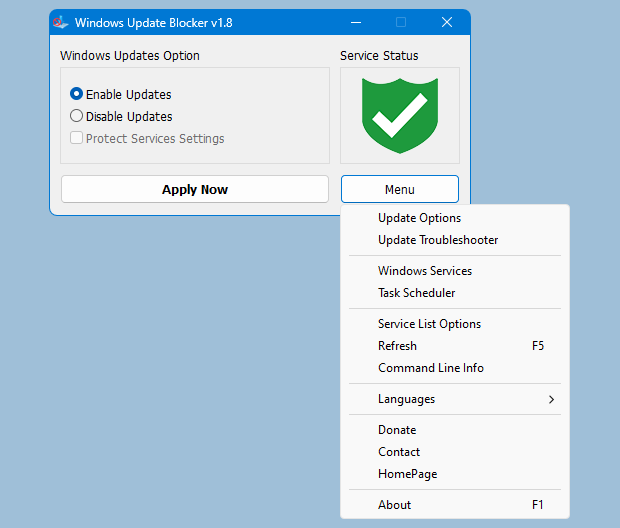
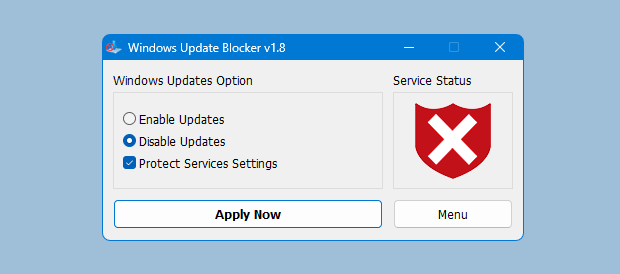
El ícono de estado mostrará el estado del servicio Windows Update. Para bloquear actualizaciones automáticas, elige "Disable Service" y pulsa "Apply Now". Proteger la configuración del servicio evita cambios no controlados (recomendado).
Cómo bloquear cualquier otro servicio y proteger la configuración
Windows Update Blocker New version allow users to add any other service into Wub.ini file to block it , first please edit Wub.ini file and add your desired service name under the "dosvc=2,4" line , for example if you want to block "Windows Update medic Service" Please abre Servicios y encuéntralo
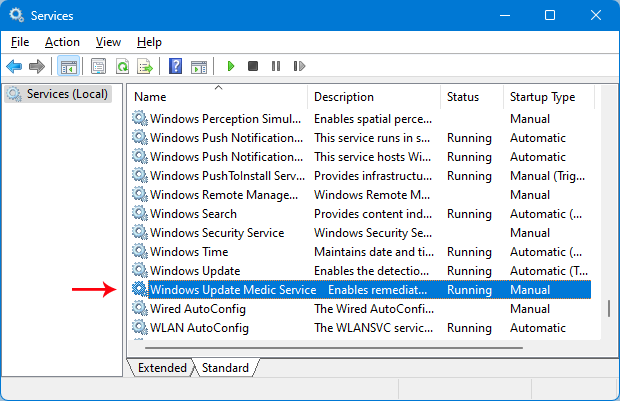
luego haz clic y copia el nombre del servicio
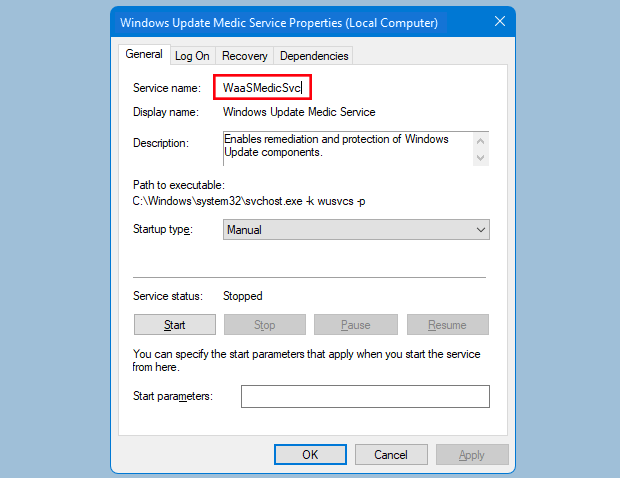
escribe o pega el nombre del servicio bajo la línea dosvc=2,4
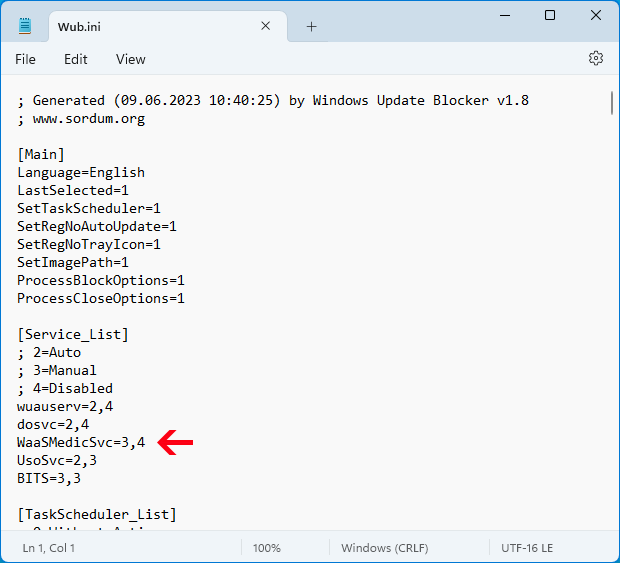
Finally open Windows Update Blocker and use "Apply now" button.
Preguntas frecuentes
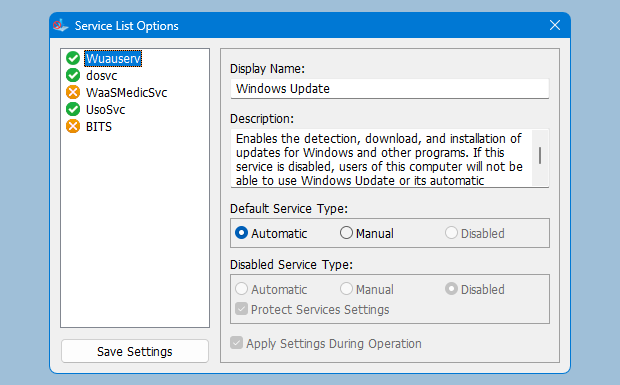
Under Menu button there is a "Service" choice if you click it , Service popup window will be open.
Con esta interfaz puedes controlar los servicios agregados a Wub.ini [Service_List].
Puedes agregar hasta 25 servicios en Wub.ini. El servicio Wuausrv es solo informativo y no se puede editar.
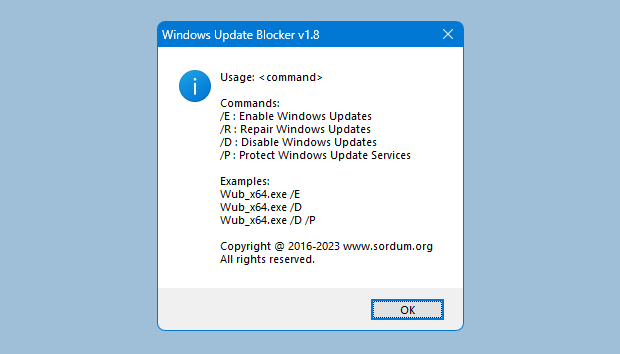
Windows Update Blocker admite opciones de línea de comandos para automatizar tareas: